Uncategorised

Uncategorised

Christmas Party Games

The festive cheer has well and truly taken over at Figurenotes HQ. We’ve been planning some Christmas Figurenotes activities for Drake Music Scotland musicians and thought we’d share the joy with you all. If you’re planning Christmas parties and events at your school or music setting then read on for some festive Figurenotes fun.

  1. Bauble Composition
  2. Christmas Cake Composition
  3. 3-chord Christmas songs
  4. Christmas Rhythm Game
  5. Christmas Corners

Bauble Composition

String up a garland, tree, or just some festive hooks (candy canes repurposed?)

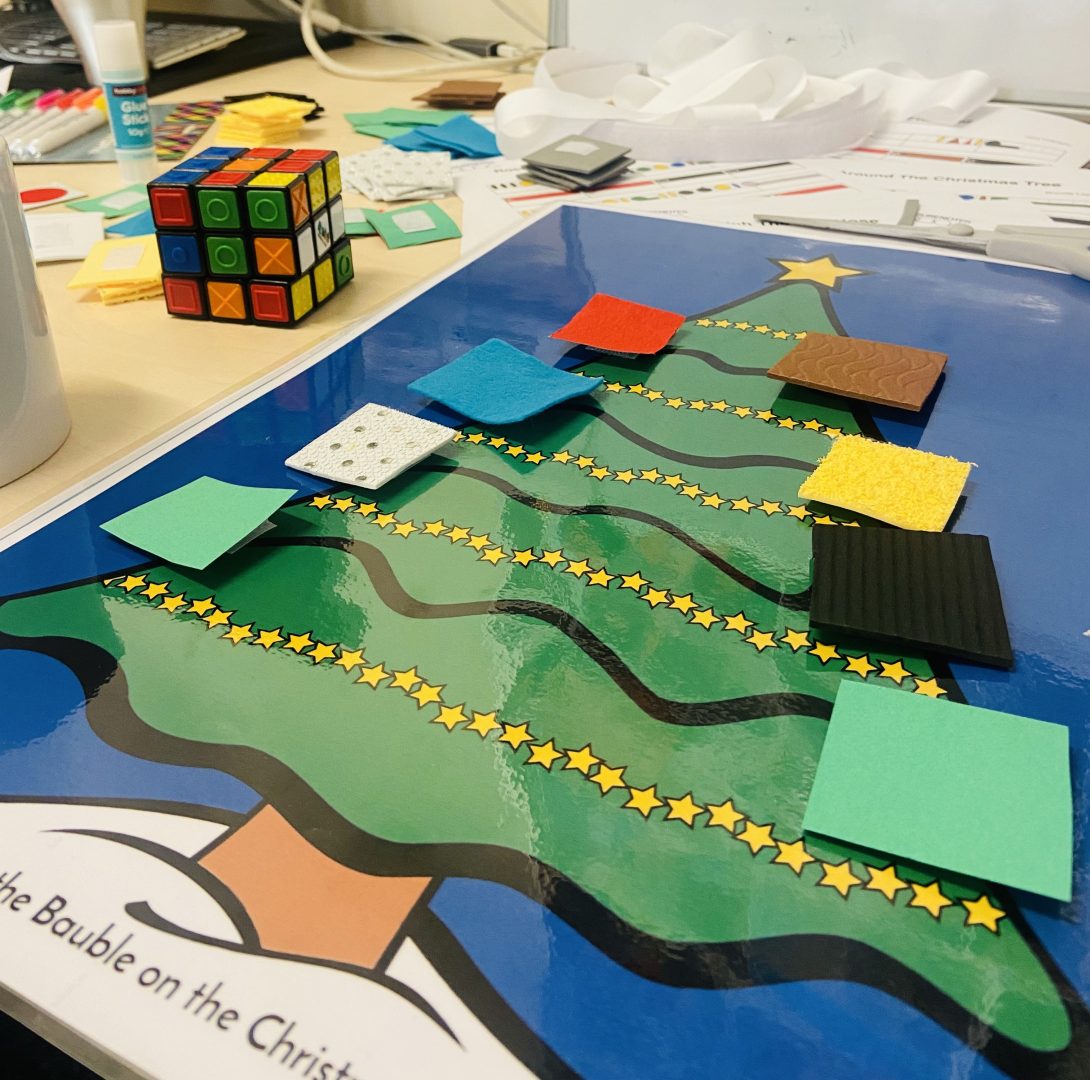
Download this template for Figurenotes baubles or make your own. Inspired by Sorcha Pringle, we made some tactile ones using different textures for different notes. These work brilliantly for musicians with visual impairment.

A laminated image of a Christmas tree sits on a desk with different textured squares attached in Figurenotes colours.
Textured Figurenotes Composition Game

Create a tune using the baubles

Play it!

You can also use these large print outs to pin the bauble on the Christmas Tree or hang them from Rudolph’s antlers.

Christmas Cake Composition

Get a traybake cake with icing that you can stick things to.

Source a selection of sweets or icing in Figurenotes colours (and shapes, if you’re feeling clever). Smarties, Skittles, Quality Streets – the list is endless.

Cut the traybake into bars. Stick your sweets to the top to create a tune.

Perform it before you eat it.

4-chord Christmas Songs

Take a look on the Figurenotes Accessible Music Hub for some Christmas bangers. Use Figurenotes guitars for the simplest way to play the chords. You can create a Figurenotes band in no time! Our suggestions are:

Rockin’ Around The Christmas Tree

Feliz Navidad

Last Christmas

Rudolph The Red Nosed Reindeer

Christmas Rhythm Game

Christmas Rhythm Canon.

Our rhythm canon is back with a festive twist. These rhythms are set over two bars and can be mixed up to create a fun game. A great introduction to syncopation.

Christmas Corners

I’m sure many of you played a version of this at school. There are lots of ways to make this musical and accessible.

Set out 4 corners/areas of the room and assign them to something. For example, a Christmas tune, a rhythm, a colour.

People must listen for the game leader to play a tune, a rhythm, a note, or whatever you’ve chosen. They then must get to the assigned corner/area as quickly as they can. This develops listening skills and focuses the ear so well.

To make this more accessible for people with limited movement or classrooms with limited space, you can use torches shone on a wall, for example. Call and response also works well, be it playing, clapping, or singing. Let your imagination run wild.

Uncategorised

Music Mark Conference

The end of November saw the Figurenotes team heading down to Southampton to present at the Music Mark Conference 2023. After the complimentary tea and caramel wafer on the tiny plane, we were set up nicely for a day of inspiring talks. The day started with a key note on Learning to Thrive in a Generative AI world, which was fascinating and started some lively debate. The conference was themed around ‘Dynamism’ and there was a particular focus on Equity, Diversity, and Inclusion. This was a fantastically forward-thinking conference and we were thrilled to be a part of it.

Crowd of people at a conference chatting. Slightly blurred focus. Music Mark logo in the centre. Logo is a maroon circle with the words Music Mark written in white and yellow.
Photo Credit: Rachel Cherry. Provided by Music Mark.

As Music Mark was celebrating their 10 year anniversary, the inaugural Music Mark Awards took place in the evening. Some brilliant projects and people were highlighted in the shortlists, with emotional judges speeches that really brought the meaning of our work home. Congratulations to all the worthy winners.

Our session was titled ‘Building Rhythm Confidence with Figurenotes’ and highlighted the ease with which this accessible notation shows rhythm. We had everyone stomping, clapping, tapping, and clicking. By bringing out the iPads with Garageband and Thumbjam (our favourite app!) we had chords and solos. Adding chimes and vocals into the mix gave us a full band.

We had settled on Don’t Worry, Be Happy as our featured tune, because it always brings a lot of joy into the room. It felt good to bring some movement and energy at the end of a long day of sessions, and we were rewarded with lots of keen teachers hoping to use Figurenotes in their projects. We can’t wait to see what people do with Figurenotes as a result of this session. We’ll be putting the Don’t Worry, Be Happy parts up on the Hub soon, so keep an eye out for them there.

It was also lovely to meet up with our friends at Charanga, ABRSM, Open Up Music, DIGIT, MiSST, and many more organisations. What a lovely community there is in the music education world. We hope to be back at this invigorating event next year.

Scene from a stall at a music conference. Brass instruments are visible and two men in black t shirts are enthralled in conversation.
Photo Credit: Rachel Cherry. Provided by Music Mark.
Uncategorised

Christmas Order Dates

Snow is falling, all around me (we are in Scotland, after all). The children have indeed been playing (mostly Jingle Bells) and having fun.

As we get the school Christmas concerts done and before the frostbite from carol singing starts to set in, we thought we’d better let you know the last order dates for Figurenotes Christmas delivery.

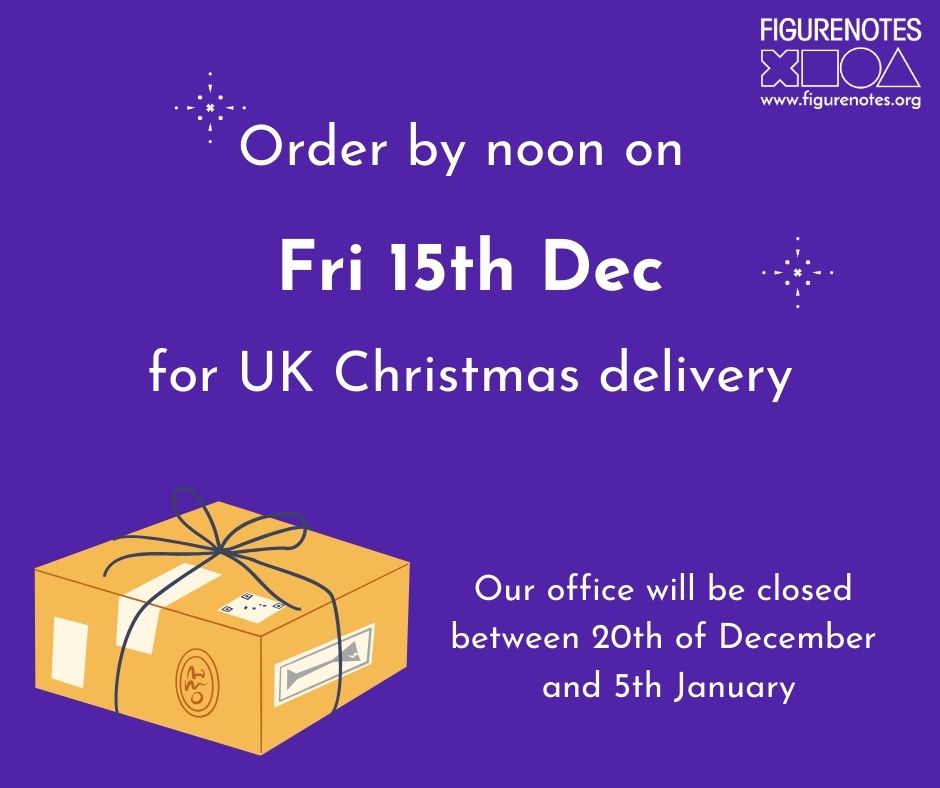
Purple background with a cartoon parcel. Text reads 'Order by noon on Fri 15th December for UK Christmas delivery. Our office will be closed between 20th of December and 5th January

Our last order date will be Friday 15th December. Please get your order in by noon, so we have time to process and post your items before Royal Mail’s last recommended posting dates. If you order after this date then your parcel may not be processed until January.

Office Closure

Figurenotes HQ is part of Drake Music Scotland, Scotland’s leading arts organisation working to enable disabled musicians at every level from education to industry. We all take a well-deserved break over the Christmas period and our office closes to allow staff time to recharge. We will be closed from Wed 20th, reopening in the new year.

If you have any questions, please email Figurenotes@DrakeMusicScotland.org.

Uncategorised

Down With the Kids

Figurenotes partnered with Early Years Music Scotland to deliver a free workshop in accessible notation

Uncategorised

Only 3 places remaining

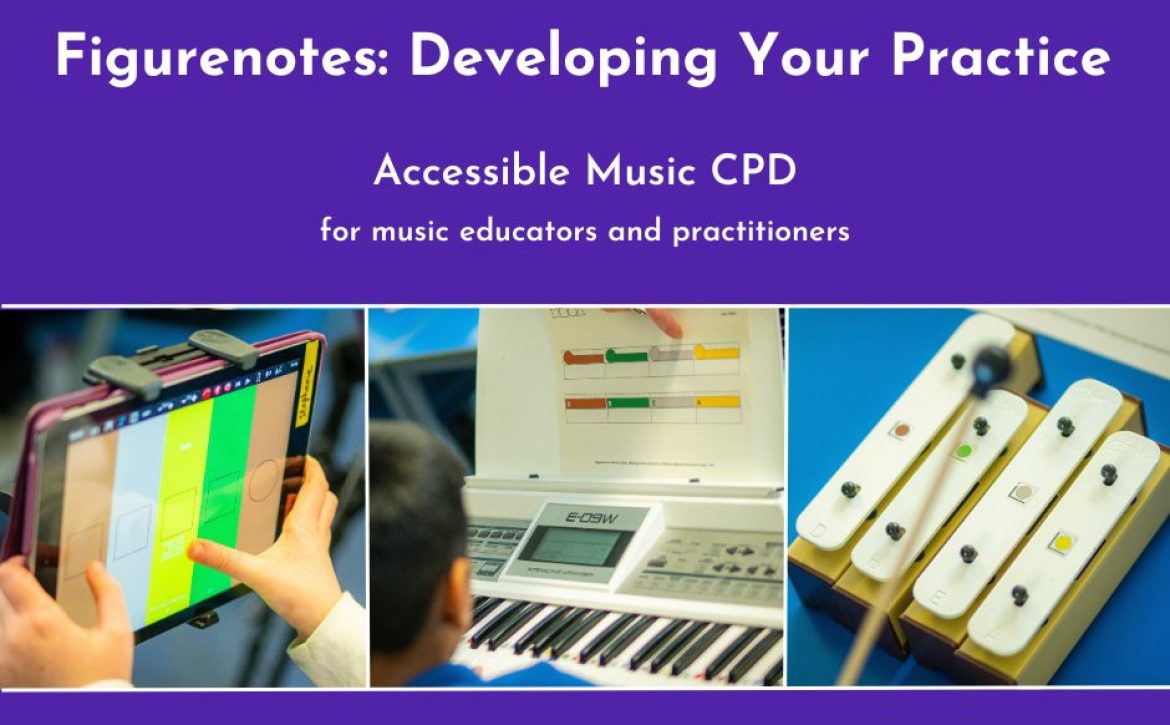
Only 3 places remaining on our Figurenotes: Developing Your Practice course. Delivered online in November. CPD for all music educators and practitioners.

Uncategorised

MuseScore 4 Plugins

Calling all MuseScore users. Are you up-to-date with MuseScore 4? Have you also updated your Figurenotes plugins?

There are 2 plugins for Figurenotes. The first creates coloured noteheads in Figurenotes colours with just one click.

3 bars of a piano score. The noteheads are coloured the appropriate Figurenotes colours.
An example of the Figurenotes Colours plugin

The second creates shaped noteheads with Figurenotes colours for a slightly easier transition into reading stage 3.

2 bars of a piano score. The noteheads are coloured in the appropriate Figurenotes colours. They are also shaped in circles, triangles, and squares, according to the octave.
An example of the Figurenotes Colours and Shapes plugin

Both plugins have been updated to use with MuseScore 4. You can access them via the FAM Hub or the MuseScore plugin library, where they are helpfully bundled into one package.

We’ve made a little video to help you install your plugin, in case this is new to you. Once installed, it will appear within MuseScore, ready for you to apply to your scores.

You can create stage 1 and 2 scores in our Notate programme. The plugins help you to create stage 3 scores. If you need a refresher on the different stages of Figurenotes, take a look at our Progression pages. We have lots of games in the Hub to help you transition from one stage to the next, moving towards reading standard notation, if that is your goal.

Uncategorised

A VI(M)P member of the band

Our staff band got a new member last week when MP Tommy Sheppard joined us to workshop some new arrangements for a youth music session we have planned. As the MP representing our local area, we are always keen to connect and share the powerful work that Drake Music Scotland does, as well as the challenges we face.

He was enthusiastic, but a little apprehensive that he couldn’t remember his guitar chords stored at the very back of his childhood mind. Fear not! We designed this band session for people who have never picked up an instrument before.

2 bearded men, Bas and Tommy, chat together. Both have guitars ready to play. Bas is explaining the Figurenotes guitar.
A quick guitar lesson from Bas

We set him up on a Figurenotes guitar, which is much more accessible. 4 strings are tuned A E A E, resulting in an open tuning. You then bar the 4 strings following Figurenotes stickers for guidance. This meant Tommy could dive straight in and play Shotgun by George Ezra with us. We had it together in no time at all and were sounding great.

To keep everyone on their toes, we all swapped instruments. We were playing everything from iPads using Garageband and Thumbjam, to the classics of keyboards, bass, guitars, percussion, and vocals – even chimes. I introduced our visitor to our little shorty bass and we got a bit more funky in our rhythms. We managed to rattle off Taylor Swift’s Shake it off and it was sounding great. I’m less sure about our rapping skills in the middle 8, but the band did brilliantly.

Tommy Sheppard plays a red and white shorty bass in a studio with a synth behind him. He smiles at the camera. To the side is a music stand with Figurenotes notation on it.
Tommy Sheppard MP plays bass using Figurenotes

“It was great to revisit the Drake Music Scotland team at their base in Craigmillar and hear about their work with disabled artists and musicians, which stretches from there to all parts of the country. Not to mention my guitar success using Figurenotes, the colour-coded notation system.”

Tommy Sheppard MP – Member of Parliament for Edinburgh East

The band arrangements got all the testing we needed and are ready for a band workshop for young people in our community. We will put these tunes and others up on the FAMHub shortly, so keep an eye out.

Thank you, Tommy Sheppard, for getting stuck in with music-making. We appreciate you visiting and discussing the many highs, and the various challenges, Drake Music Scotland has faced in recent years. It is also nice to have yet more proof of the 5-minute Figurenotes band in action!

The Supergroup!
Uncategorised

Free Early Years Training

We are partnering with Early Years Music Scotland to deliver free Figurenotes training. This is part of their year-long programme of free, high-quality, creative and inspiring continuous professional development for musicians working with children in the early years across Scotland, supported by Creative Scotland’s Youth Music Initiative.

Come and join us for a fun, interactive online session on Mon 11th September 2023, 10am-11:30am. Book your place on Eventbrite. If you’re outside Scotland you can still join, but a fee will apply. You can choose a ticket to attend live or to receive a recording of the session.

We’ll be offering unmissable discounts on our First Figurenotes pack to attendees, so you can hit the ground running.

Explore how Figurenotes notation can help support your learners to unleash their creativity, build independence, and increase confidence. Places are limited to book early to avoid disappointment. See you there!

A woman plays guitar to a group of small children. They each have chime bars and are sitting on the floor. There is a board with a seaside image on it.
Uncategorised

Funding for Training

Would you like to join our online Figurenotes course, but don’t have the budget? We can help with that.

YMI logo. A plectrum shaped background of dark blue overlaps slightly off centre with the same in light blue and red. White text reads 'Youth Music Initiative'. There are 5 lines representing a stave below the words. A quaver note sits in the top right of the plectrum shape.

The wonderful YMI CPD fund is open for 2023! This is one of our favourite funding pots, as it applies to so many of our Figurenoters.

Funding is available for training and continued professional development. Aimed at both individuals and organisations, you can apply for money to attend training such as our Figurenotes: Developing Your Practice course.

To qualify, all or part of your work must be outwith schools and benefit the youth music sector in Scotland. So if you work in Scotland with youth groups, as an instrumental teacher, or a music facilitator, get applying before it runs out.

https://www.scottishmusiccentre.com/ymi-cpd

A screenshot of a zoom call. 8 smiling people on the call are tiled across the screen.

In the past there has been about an 8 week turnaround on decisions, but please bear in mind that it is a continuous fund and the money may run out before the final deadline date. We recommend applying as soon as possible.

You can book your place on the course using the booking form below. Just let us know that you’ve applied for funding and we will hold your spot while a decision is made. The Scottish Music Centre is very supportive of our training and has informed us that this course is just what they’re looking to fund.

Let us know if there is anything we can do to support your application and we wish you the best of luck. Find out more about Figurenotes: Developing Your Practice by visiting the training section of our website. You can find the booking form using the button below.

Uncategorised

Notate – Computer keyboard as MIDI keyboard

Did you know you can use your computer keyboard to input notes into your Figurenotes notation programme?

We’ve got a lot of different ways to input notes into your Figurenotes score, so you are spoilt for choice. This one may not be as obvious as others, so we thought it needed a blog post. We hope this helps you find your ideal way to create music.

  1. Once you’ve logged in to Notate.Figurenotes.org and have your score open, untick the ‘Lock Piano Keys’ box at the top of the page. This will allow you to use your computer keyboard to enter notes.
Screenshot of notation programme with red circle and arrow showing where the Lock Piano Keys checkbox is. It is to the right of the onscreen keyboard underneath the toolbar.

An image of the note palette from the Figurenotes notation programme. Figurenotes shapes are presented in a grid. Below them there is a drop down menu with 'Note Length' written above it. A red arrow points to this menu.

Each note entered will be one crotchet beat, unless you change the note duration settings on the right hand side of the page.

This should make it easier and quicker to enter notes into your score. If you want to use your keyboard shortcuts again, just make sure you tick the ‘lock keys’ box again.

We’ve made this handy diagram to help you understand your computer keyboard as a MIDI keyboard. You can find this in our Notate FAQs (scroll down to ‘Inputting Notes’) or download it in png or PDF form below.

A diagram of a computer keyboard containing numbers 1-0 and all letters. Each key contains a Figurenotes note.
Find more tutorials on YouTube
#lmsmart_search_6a3aa0463c431:hover { color: rgba(30,40,69,1) !important; }#lmsmart_button_6a3aa0463fd08 { color: rgba(7,47,96,1); }#lmsmart_button_6a3aa0463fd08:hover { color: rgba(7,47,96,1); }#lmsmart_button_6a3aa0463fd08 { border-color: rgba(30,40,69,1); background-color: rgba(249,232,20,1); }#lmsmart_button_6a3aa0463fd08:hover { border-color: rgba(30,40,69,1); background-color: rgba(0,166,214,1); }#lmsmart_button_6a3aa046416c4 { color: rgba(7,47,96,1); }#lmsmart_button_6a3aa046416c4:hover { color: rgba(7,47,96,1); }#lmsmart_button_6a3aa046416c4 { border-color: rgba(30,40,69,1); background-color: rgba(249,232,20,1); }#lmsmart_button_6a3aa046416c4:hover { border-color: rgba(30,40,69,1); background-color: rgba(0,166,214,1); }