
Explore the guides below to learn how Figurenotes can work on your instrument. 

Stickers

Stick your Figurenotes stickers on the white keys. For best placement, put them in-line with the end of the black keys. Middle C is a red circle.

A piano keyboard with Figurenotes stickers on. The colour pattern is red on C, then brown, grey, blue, black, yellow, green, before returning to red again.
Figurenotes Fingers

Print and cut out these slip-on note guides. Make sure to select ‘print whole image’ on A4 paper in your printing options.

Learn more about playing chords, sharps and flats, and progression under the ‘What is Figurenotes?‘ menu at the top of the page.

If the instrument isn’t pitched, you can assign any colour or shape to it. There are no set rules for this, except for the drum kit.

Drum Kit

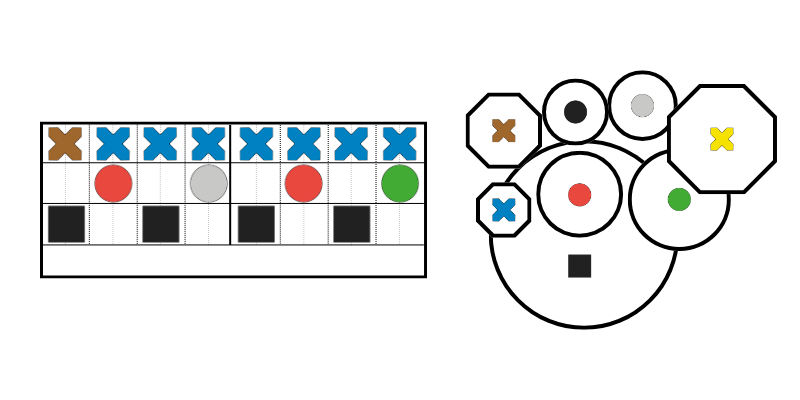
Each element of the drum kit is assigned a specific colour and shape. You can use stickers for this or print larger images.

There is a specific Figurenotes stave for drum notation. The bottom line contains squares for kick drum, circles for toms and snare in the middle, and cymbals are shown by crosses in the top line.

You can create parts using Notate, our notation programme.

A piano keyboard with Figurenotes stickers on. The colour pattern is red on C, then brown, grey, blue, black, yellow, green, before returning to red again.

Use the correct sticker on each note. See the keyboard diagram above. Middle C is a red circle.

When using chimes with beginners, we recommend placing the sticker where the beater will strike. This helps guide the player to get the best sound.

Boomwhackers and Coloured Percussion

We are often asked how to use Boomwhackers and other coloured percussion with Figurenotes. This will depend on who you’re working with.

You can stick Figurenotes stickers on the Boomwhackers and ignore their original colour. Or you can recolour the instruments themselves – read this blog on re-spraying your instruments

Adapted Guitar

For a simplified guitar setup, use 4 strings instead of 6, tuned AEAE. This means we can barre open chords, focusing on chord changes and strumming patterns. It is then easier to progress to 6 strings.

This video can help with the setup. Use the following guide for a more visual representation: Figurenotes Adapted Guitar Guide – PDF

Standard Guitar

There are many ways to learn guitar using Figurenotes. You can explore different tuning, barre chords, using stickers to learn each chord before removing, or single notes for melodies and solos. The guide here shows where all the stickers would go, but we recommend using a few stickers at a time, rather than all of them.

If using chord charts to teach finger positions, try including a photo from the player’s perspective. See the image below for more details. 

Bass Guitar

Use the guide to see where each sticker goes. We suggest adding a few stickers at a time, as you learn notes. Adding them all at once can be overwhelming and difficult to process.

Stickers for open strings are placed behind the nut.

Ukulele

Ukuleles can be tuned for open chords, just like the adapted guitar above.

We can also keep standard tuning and add chords/notes as we go. There are 2 ways to sticker these. 1. Add stickers according to the chord box colour (eg G major would be all black stickers). Learn the chords one at a time. Keep stickers minimal. 2. Add stickers on the correct notes and learn the finger patterns.

If using chord charts to teach finger positions, try including a photo from the player’s perspective. This can be seen in the guide below. 

Place open string stickers at the end of the fingerboard and/or on the bridge, so they can be seen by the player. The other stickers should be placed on natural notes. You can use strip stickers underneath if desired. See the following set-up guides for more information.

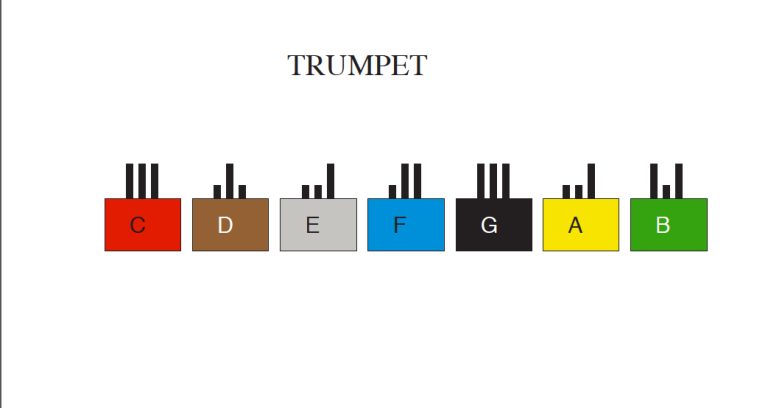
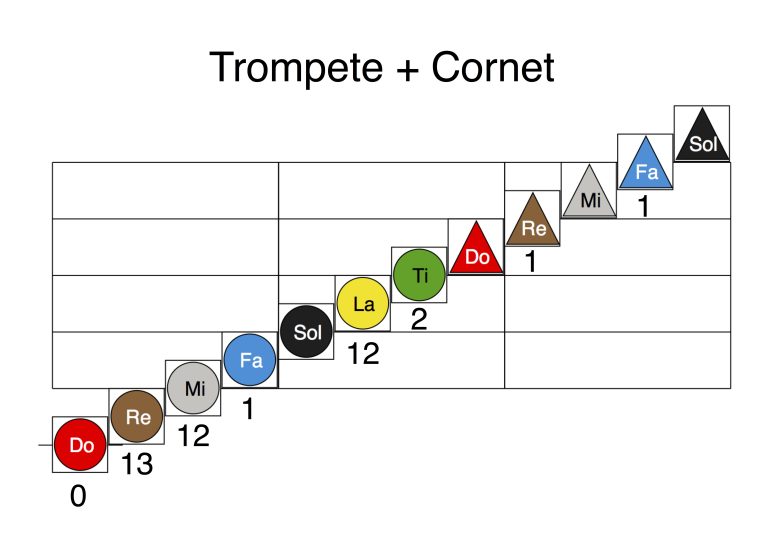
There are many ways to show valve and slide positions when using Figurenotes with brass instruments. Below are some images supplied by Figurenotes groups in Finland and Brazil when teaching the trumpet. 

The first example uses valve diagrams for each note. The second example uses numbers. 

A coloured box for each note of the musical alphabet. 3 vertical black lines stick up out of the top of the box. Shorter lines show valves that are pressed down, while longer ones show valves that aren't pressed.
A stage 2 Figurenotes stave. Each note has numbers below it to show the valves used.

More guides will be uploaded soon. Contact us at Figurenotes@DrakeMusicScotland.org for advice or to share your practice. 

Stickers are not used on woodwind instruments. Teach the notes as you normally would, associating each fingering with a colour and shape. The following fingering charts can be useful for teachers. Introduce a note at a time, just like you normally would.

Thumbjam

Figurenotes colours and shapes can show on each note. See the video below for a step-by-step guide on setting this up.

Clarion

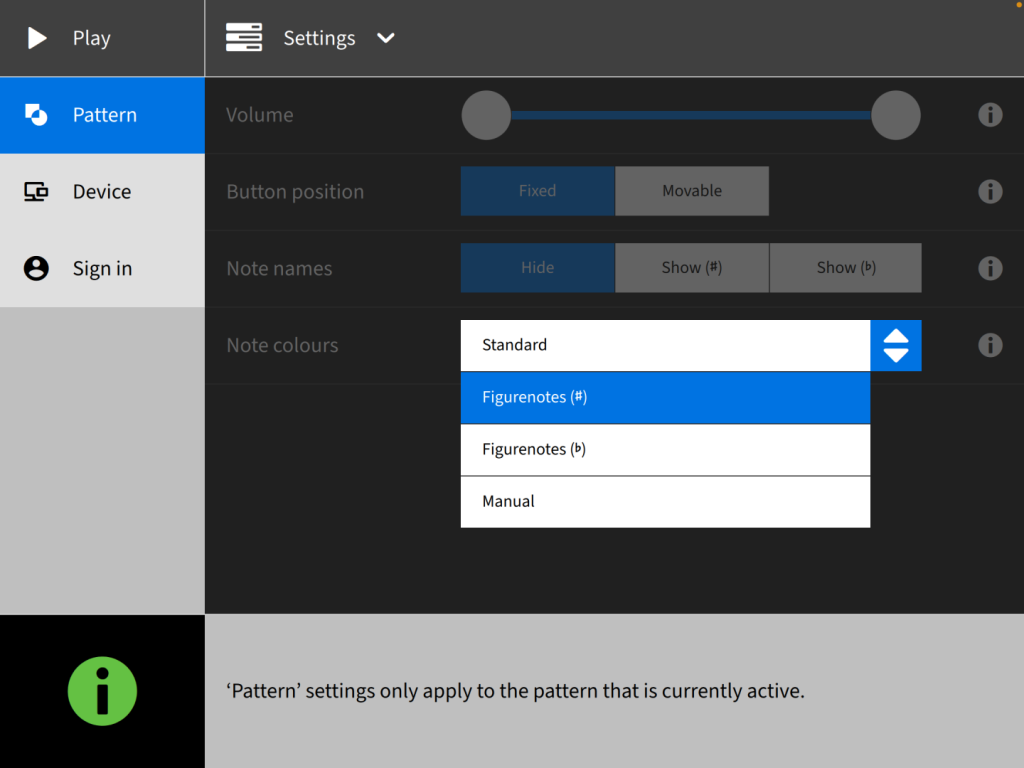
To use Figurenotes colours within your Clarion patterns, go to Settings. You’ll find Figurenotes as an option within the Note Colours dropdown menu.

Screenshot of Clarion settings
Garageband

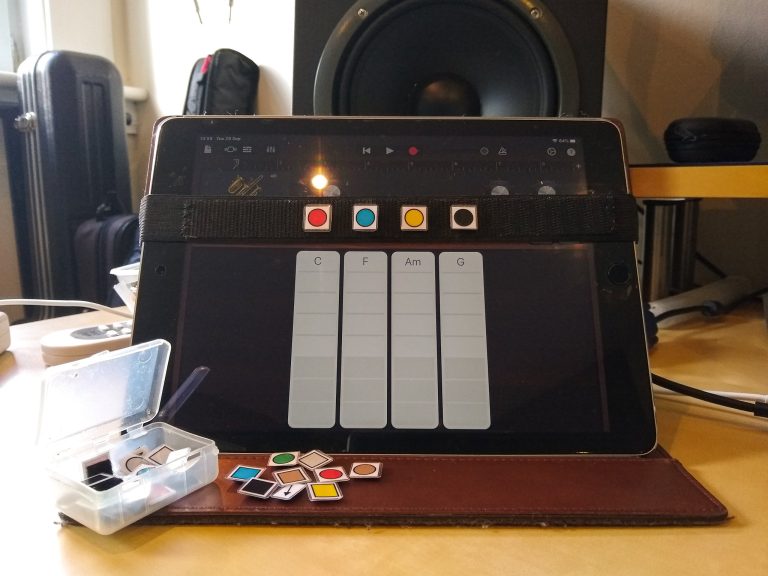
Figurenotes is not built in to Garageband. Try an elasticated band around your case, Velcro works too, and stick the right symbols on. Make sure it doesn’t touch the screen.

Use Figurenotes colours and shapes to represent the notes. Using Notate, you can use a movable Do and include solfège within the notes, if desired. 

We like to use a string of beads to show tones and semitones. See the guide below. 

Guest Blog: But they’re the wrong colours!

Emily MacQuarrie tells us how she easily overcame the fact that the colours of tuned percussion don’t always match up...
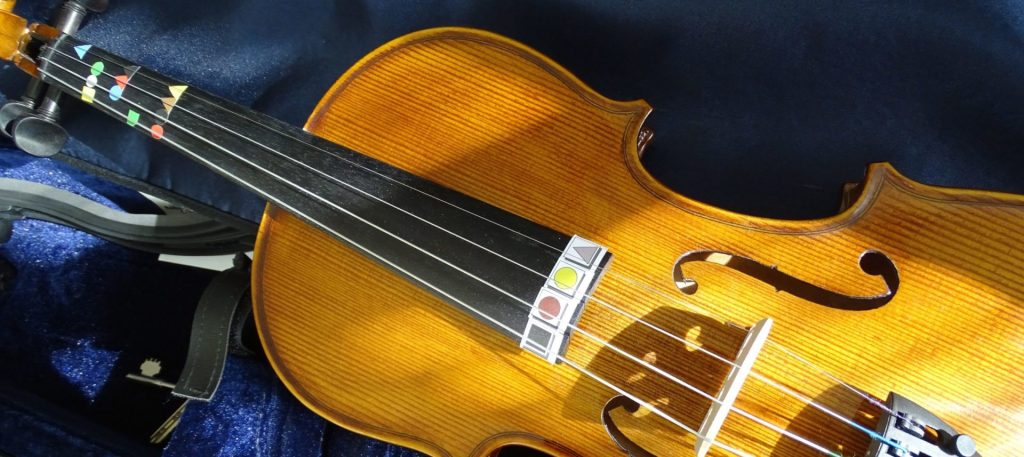
A violin with Figurenotes stickers on the fingerboard

Starting with Strings

This series of blogs will focus on using Figurenotes with different instrument families. Let’s get started with strings.  There was...
Working with Woodwind

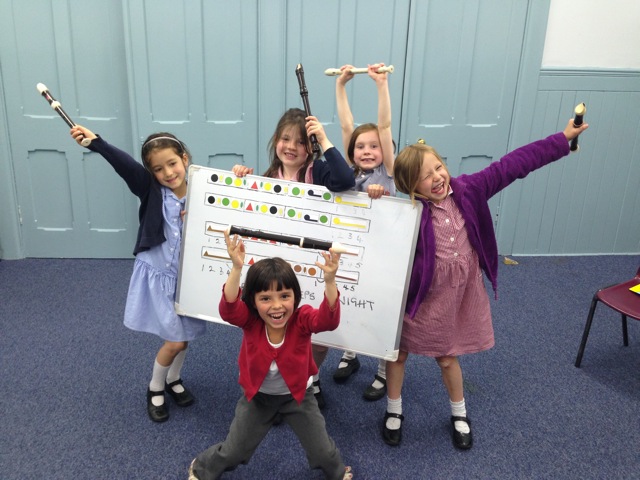
For the second instalment of our mini-series on how to use Figurenotes with different instruments, we will focus on woodwind.  In the...

Blowing the Trumpet for Brass

This mini-series started with strings, worked with woodwind, and now we are blowing the trumpet for brass! There are Figurenoters...

Getting to Grips with Guitars

So you want to be a rock star? Start a Figurenotes band! Beginners can start playing together very quickly. This...

Prioritising the Piano

Figurenotes is perfectly suited to the piano. By placing stickers on the white notes, we make it much easier to see...

Animal, the muppet, drumming wildly

Daring to Drum

Rhythm is the heart of Figurenotes. From banging out beats on the drum kit, to beautiful marimba solos, you can...
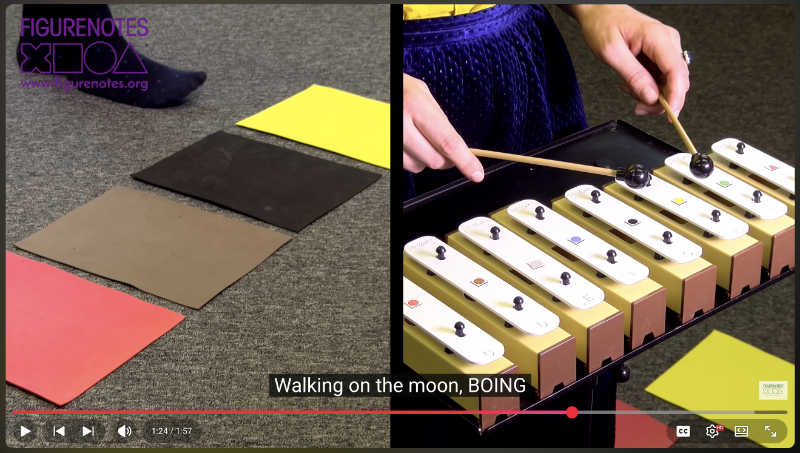
A splitscreen on a video shows foam sheets on the floor, about to be jumped on, plus a close up of chime bars with Figurenotes stickers on.

Top Tips in New Tutorials

If you follow our Facebook page, you may have noticed our new series of video tutorials. Commissioned by The Space...
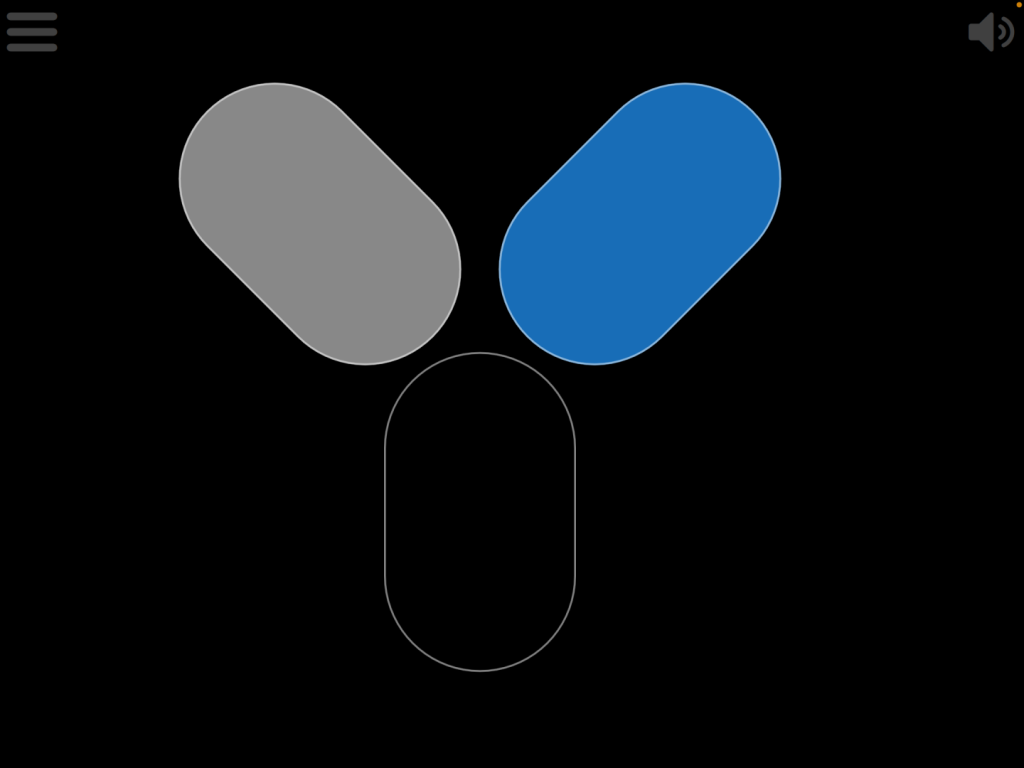
3 rounded rectangle shapes sit in a Y formation on a black background. They are coloured grey, blue, and black.

Figurenotes for Clarion

Great news for Clarion users. You can now access Figurenotes colours and patterns within the instrument. “Figurenotes is an incredible...
#lmsmart_search_6a3a8c75ecce2:hover { color: rgba(30,40,69,1) !important; }#lmsmart_button_6a3a8c75f2f60 { color: rgba(7,47,96,1); }#lmsmart_button_6a3a8c75f2f60:hover { color: rgba(7,47,96,1); }#lmsmart_button_6a3a8c75f2f60 { border-color: rgba(30,40,69,1); background-color: rgba(249,232,20,1); }#lmsmart_button_6a3a8c75f2f60:hover { border-color: rgba(30,40,69,1); background-color: rgba(0,166,214,1); }#lmsmart_button_6a3a8c760126f { color: rgba(7,47,96,1); }#lmsmart_button_6a3a8c760126f:hover { color: rgba(7,47,96,1); }#lmsmart_button_6a3a8c760126f { border-color: rgba(30,40,69,1); background-color: rgba(249,232,20,1); }#lmsmart_button_6a3a8c760126f:hover { border-color: rgba(30,40,69,1); background-color: rgba(0,166,214,1); }