percussion

Uncategorised

Got Rhythm? #FigurenotesChallenge

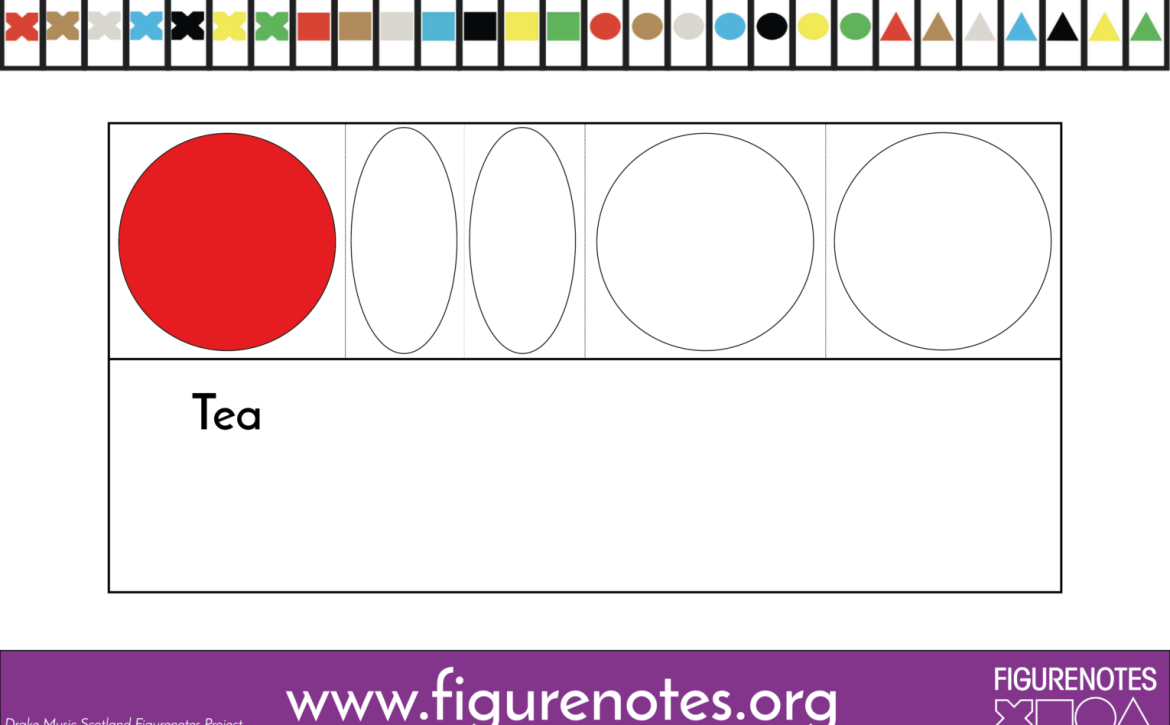
Rhythm is so intuitive with Figurenotes – the note is as long as it looks!

So how does it all fit together?

Our newest #FigurenotesChallenge aims to help you/your students understand the relationship between different rhythms through this gentle movement activity. This is the first in a series of videos designed to develop rhythmic skills whilst promoting a healthy activity you can do at home.

You can use our FREE supporting resources on rhythm to create your own rhythm words or movements for each rhythm. Make it your own, or play along as it is. You can use your instruments to play along, or use the movements suggested in the video. Whatever works for you or your students.

Go on and have a wee go! Then share your findings with us. Drop us a line at figurenotes@drakemusicscotland.org or share on your favourite social platform. Tag us @Figurenotes and use the hashtags #FigurenotesChallenge or #FigurenotesAtHome. We will post our favourites on our Twitter and Facebook pages.
Instruments

Daring to Drum

Rhythm is the heart of Figurenotes. From banging out beats on the drum kit, to beautiful marimba solos, you can work wonders with Figurenotes percussion. With studies showing that musicians using Figurenotes have a stronger sense of pulse and better rhythmic skills, let’s take a look at the different methods of using percussion:

1. Drum kit

2. Pitched Percussion

3. Unpitched Percussion

Drum Kit

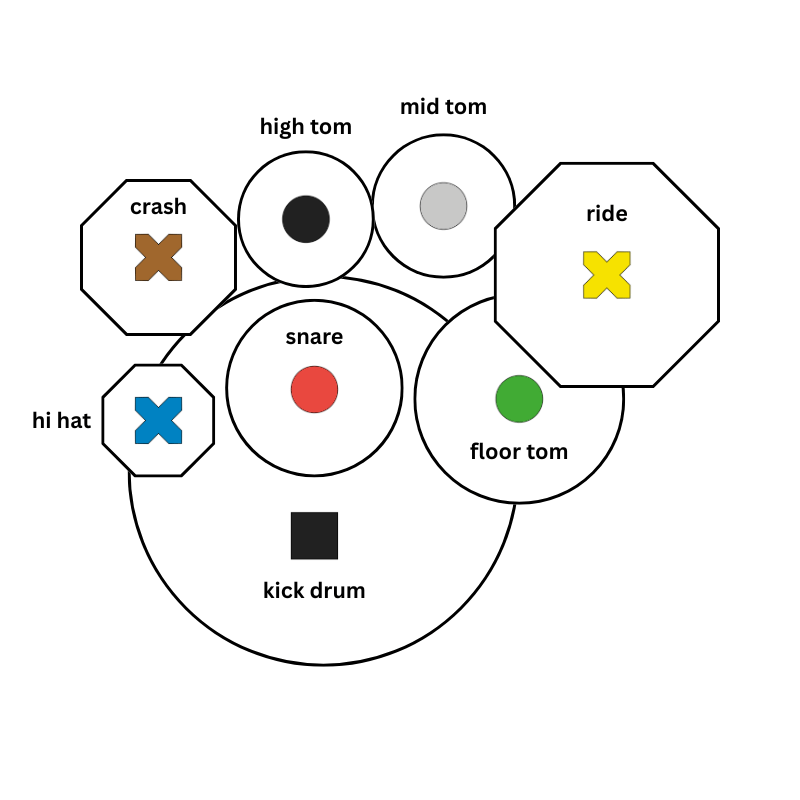
The Figurenotes drum kit layout. Black square for kick drum, coloured circles for snares and toms, coloured crosses for cymbals.
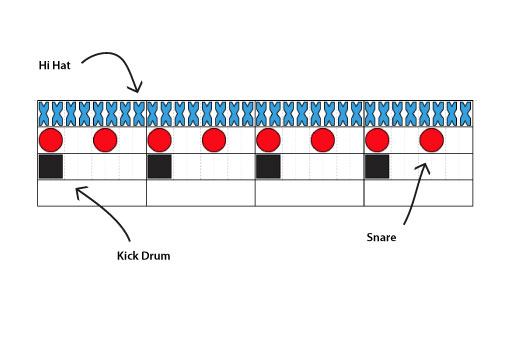
An example of drum kit notation. Black squares go in the bottom space, circles in the centre, and crosses at the top.

The diagram above shows the structure of both the drum kit and the drum notation. 

A black square represents the kick drum. Circles are the snare and toms. Crosses represent the cymbals. 


The notation puts these shapes on 3 different lines. Kick drum squares sit at the bottom, circles in the middle, and squares on the top. This echoes both standard drum notation and the physical placement of the kit. This moves onto 5 lines in stage 2 Figurenotes notation. 

To write percussion parts in Notate, follow the steps in this video.

Pitched Percussion

Tuned percussion works in the same way as piano. We place stickers on the instrument and match them to the note on the page. The diagram below shows a piano with Figurenotes stickers. The red circle is middle C.

When learning chime bars and similar instruments, we recommend placing the sticker where the beater will strike. This helps musicians to learn where to play the instrument for the best sound. 

You can limit the amount of notes you present by limiting the chime bars you lay out, or removing unwanted notes from a xylophone or glockenspiel.


A piano keyboard with Figurenotes stickers on. The colour pattern is red on C, then brown, grey, blue, black, yellow, green, before returning to red again.

Unpitched Percussion

Untuned percussion gives you a lot of freedom. You can assign any shape or colour to a sound/instrument. You can choose to add stickers or not.

In some settings, it helps to keep this consistent from week to week. Other times we may want flexibility to change instruments and keep the same parts, for example. This is up to you. 

You also have the option of writing each individual part out as a melody line using your chosen colour and shape, or lump parts together into drum kit notation explained above. See what works for you and your musicians. 

For more structured untuned percussion, see the drum kit example above. 

#lmsmart_search_6a4471f953c2c:hover { color: rgba(30,40,69,1) !important; }#lmsmart_button_6a4471f95a99b { color: rgba(7,47,96,1); }#lmsmart_button_6a4471f95a99b:hover { color: rgba(7,47,96,1); }#lmsmart_button_6a4471f95a99b { border-color: rgba(30,40,69,1); background-color: rgba(249,232,20,1); }#lmsmart_button_6a4471f95a99b:hover { border-color: rgba(30,40,69,1); background-color: rgba(0,166,214,1); }#lmsmart_button_6a4471f95c3b5 { color: rgba(7,47,96,1); }#lmsmart_button_6a4471f95c3b5:hover { color: rgba(7,47,96,1); }#lmsmart_button_6a4471f95c3b5 { border-color: rgba(30,40,69,1); background-color: rgba(249,232,20,1); }#lmsmart_button_6a4471f95c3b5:hover { border-color: rgba(30,40,69,1); background-color: rgba(0,166,214,1); }