plugin

Uncategorised

MuseScore 4 Plugins

Calling all MuseScore users. Are you up-to-date with MuseScore 4? Have you also updated your Figurenotes plugins?

There are 2 plugins for Figurenotes. The first creates coloured noteheads in Figurenotes colours with just one click.
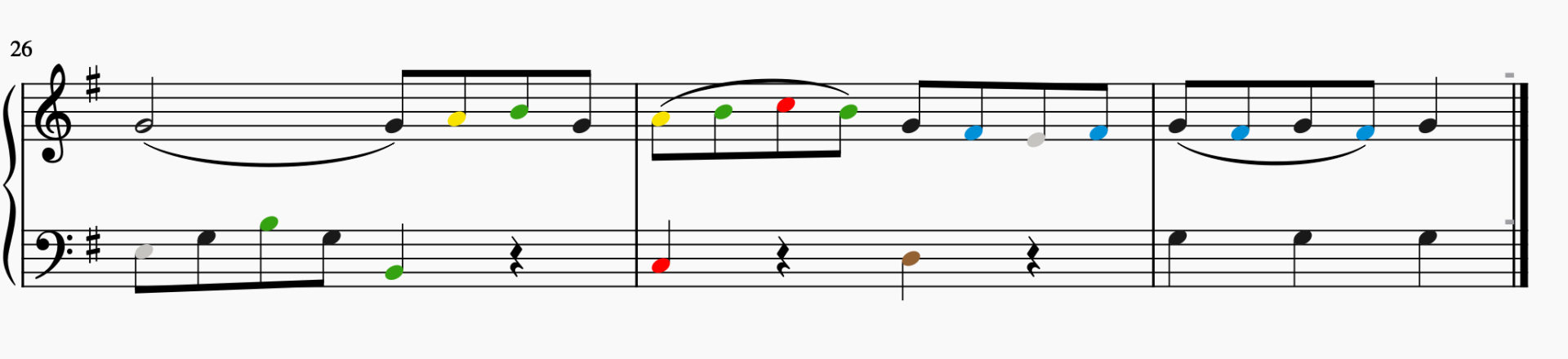
3 bars of a piano score. The noteheads are coloured the appropriate Figurenotes colours.
An example of the Figurenotes Colours plugin

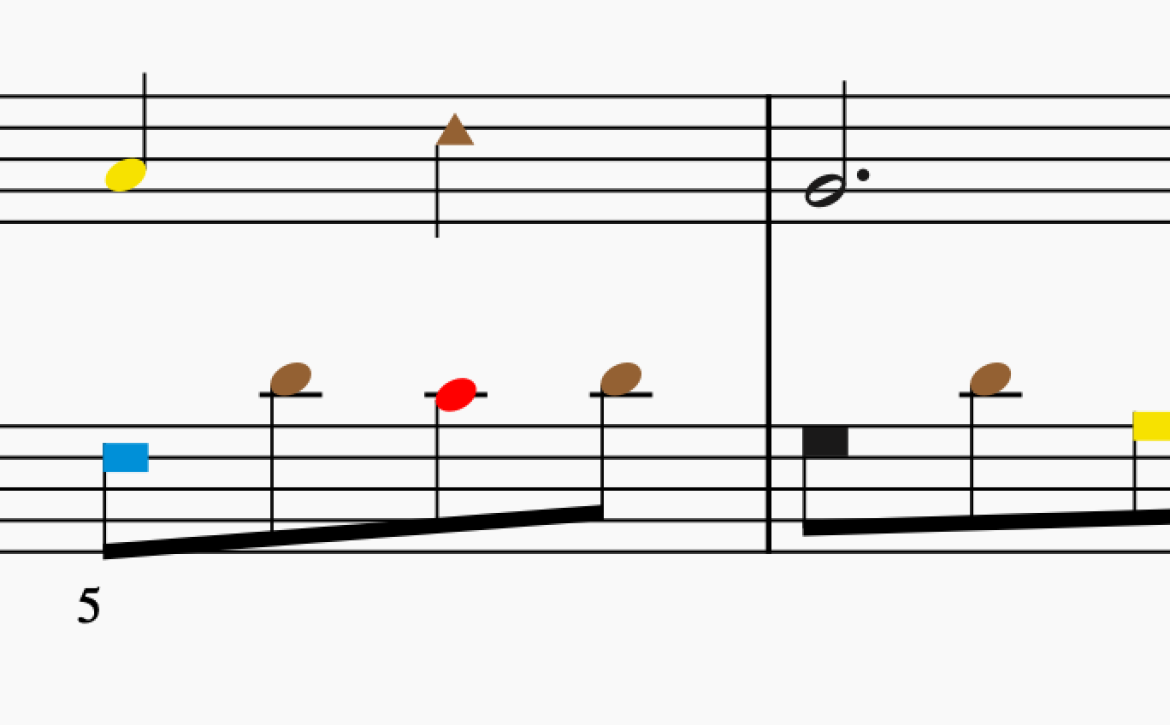
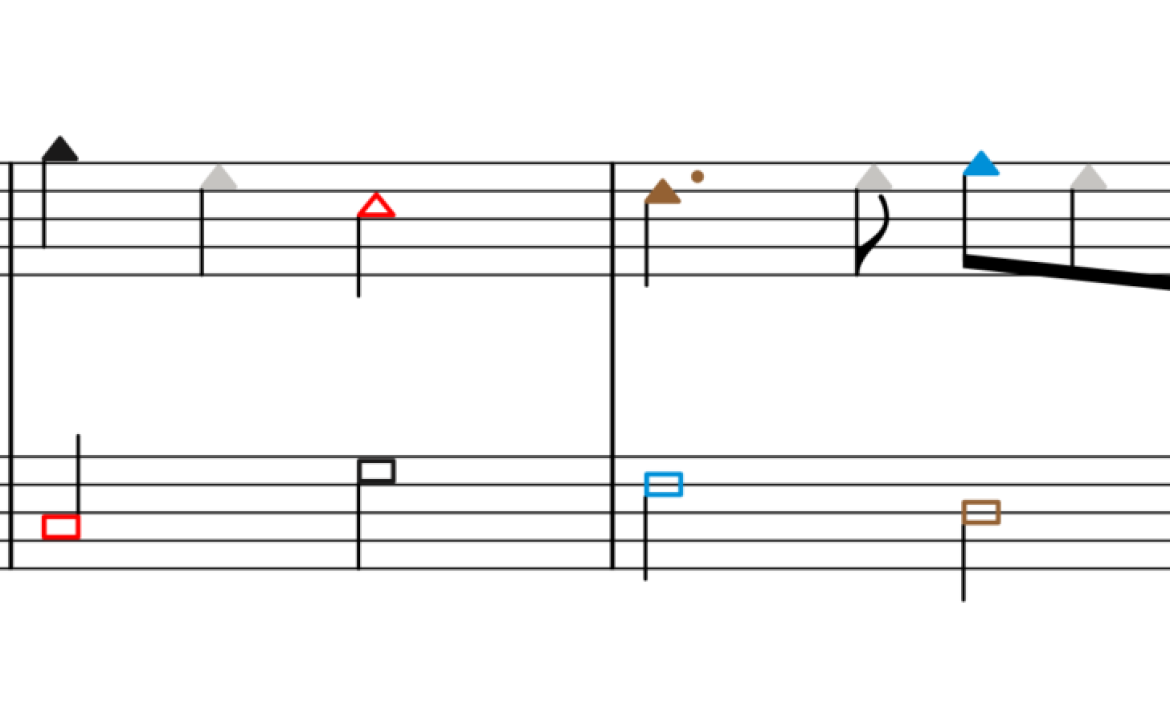
The second creates shaped noteheads with Figurenotes colours for a slightly easier transition into reading stage 3.
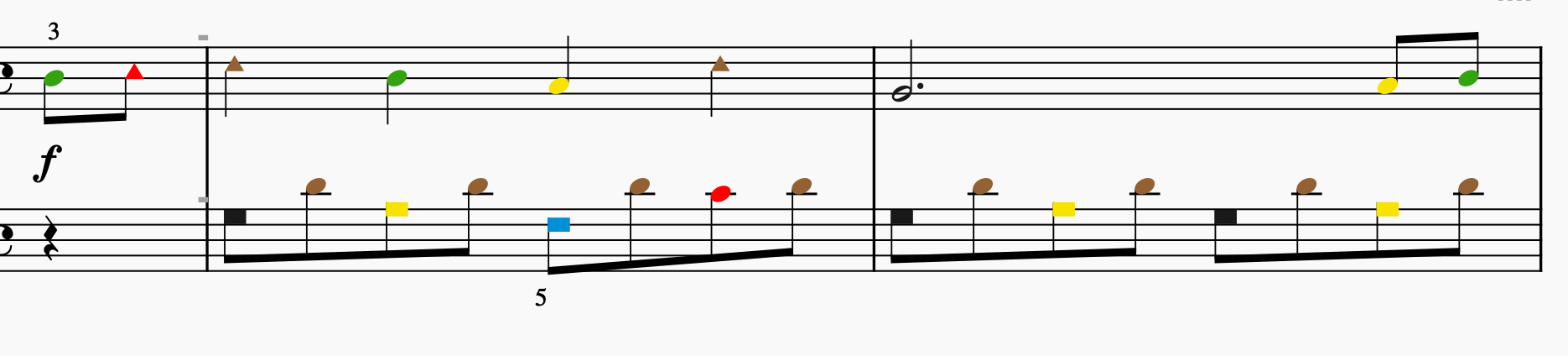
2 bars of a piano score. The noteheads are coloured in the appropriate Figurenotes colours. They are also shaped in circles, triangles, and squares, according to the octave.
An example of the Figurenotes Colours and Shapes plugin

Both plugins have been updated to use with MuseScore 4. You can access them via the FAM Hub or the MuseScore plugin library, where they are helpfully bundled into one package.

We’ve made a little video to help you install your plugin, in case this is new to you. Once installed, it will appear within MuseScore, ready for you to apply to your scores.

You can create stage 1 and 2 scores in our Notate programme. The plugins help you to create stage 3 scores. If you need a refresher on the different stages of Figurenotes, take a look at our Progression pages. We have lots of games in the Hub to help you transition from one stage to the next, moving towards reading standard notation, if that is your goal.

Uncategorised

New Musescore Plugin for Transition Between Stages

We’ve got a special Christmas treat for members of our Resource Base – a new Musescore plugin!

Subscribers to our Resource Base have long been able to download a plugin for Musescore that allows you to change the noteheads to Figurenotes colours with one click, giving you stage 3 Figurenotes notation at the touch of a button. Now we have created a transitional tool allowing you to do even more.

If you want to ease your pupils into stage 3 notation more slowly, you can now use shaped noteheads with Figurenotes colours with our latest plugin.

Using the new plugin to create shapes and colours
Using the plugin just for coloured noteheads

Using shaped noteheads in this way allows pupils to adjust to the new stave appearance more gradually. Shapes can help reassure players that they are in the right octave, while still progressing their rhythmic reading.

Write your piece in Musescore or import it from the Figurenotes software. After highlighting the piece, click on the plugin in your Musescore menu to change the piece to either stage 3 or the new transition stage. Easy!

Once you’re logged in, you’ll find the new plugin under ‘Software Resources’, along with a Sibelius plugin and instructions on installing the new plugin.

Not a Resource Base member? Sign up today for only £23.99 a year – that’s less than £2 per month!

Membership will give you access to a huge bank of tunes, lesson plans and resources you can adapt to suit the needs of your pupils using the Figurenotes software for mac or PC.

Note: This plugin is currently only compatible with Musescore 3. We are working on a compatible version for Musescore 2 and hope to launch it soon.

In the meantime, why not sign up to our mailing list to keep up to date with all things Figurenotes and get your hands on our free resources bundle.

#lmsmart_search_6a3f065d9b924:hover { color: rgba(30,40,69,1) !important; }#lmsmart_button_6a3f065da16e9 { color: rgba(7,47,96,1); }#lmsmart_button_6a3f065da16e9:hover { color: rgba(7,47,96,1); }#lmsmart_button_6a3f065da16e9 { border-color: rgba(30,40,69,1); background-color: rgba(249,232,20,1); }#lmsmart_button_6a3f065da16e9:hover { border-color: rgba(30,40,69,1); background-color: rgba(0,166,214,1); }#lmsmart_button_6a3f065da320d { color: rgba(7,47,96,1); }#lmsmart_button_6a3f065da320d:hover { color: rgba(7,47,96,1); }#lmsmart_button_6a3f065da320d { border-color: rgba(30,40,69,1); background-color: rgba(249,232,20,1); }#lmsmart_button_6a3f065da320d:hover { border-color: rgba(30,40,69,1); background-color: rgba(0,166,214,1); }